
Engineering information, connected.
Navigate and analyze your engineering digital thread from one web platform.
Perform requirements engineering, design SysML v2 models, assess quality and technical management information, digitize end-to-end traceability and interoperability, search content, measure Systems Engineering, and apply AI to engineering work.
From engineering data to engineering insight
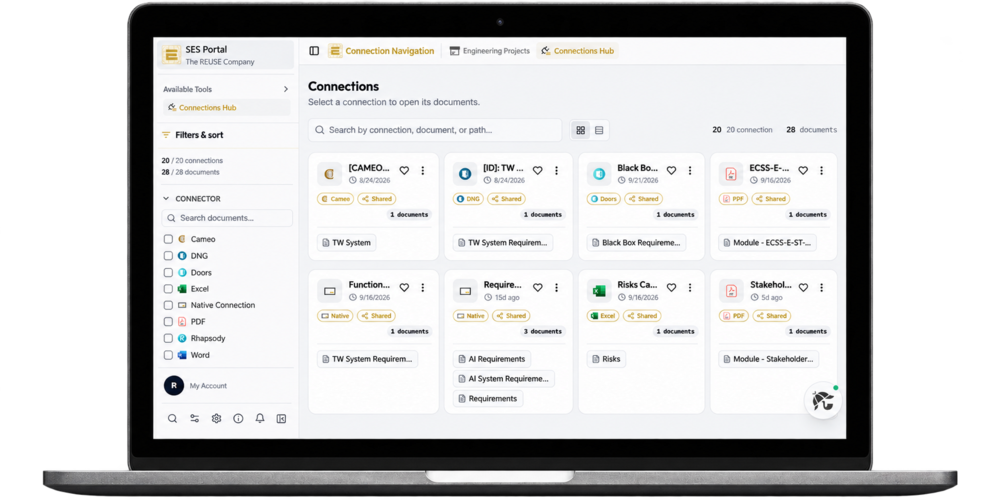
Engineering information is distributed across projects, requirements, models, components, documents, and other engineering artifacts. The SES Portal provides a centralized web experience to manage this information and understand how it connects.
Digitalize the Requirements Engineering process by enabling smart requirements authoring, attributes, versions, traceability, and quality. Combined with SES Modeler, you can perform Requirements management and MBSE using SysML v2.
Extend your projects with connections to external sources (RMS, MBSE, PLM, MBSA, etc.), understand relationships and dependencies, find relevant information, and perform analysis more efficiently.
Digital-thread navigation, traceability, semantic search, quality visualization, Systems Engineering measurement, and SES.ai help you move from simply accessing engineering information to understanding and analyzing it.
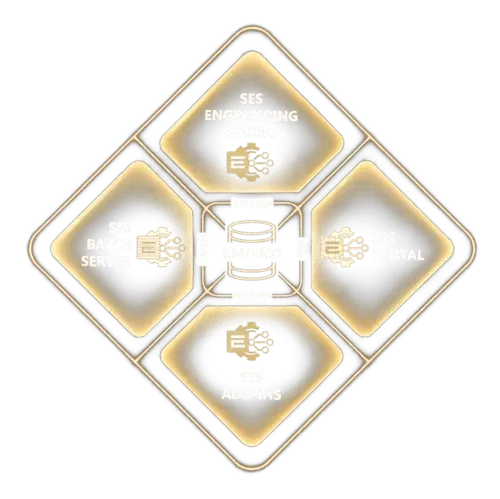

Connect
Engineering relationships

Discover
Relevant information

Analyze
Quality and performance
One web platform. Multiple engineering workflows
01
Requirements and models ALM
Support specification engineering and MBSE workflows in combination with the relevant SES tools.
02
Project navigation
Access engineering projects and their information from a centralized interface.
03
Digital thread and traceability
Explore relationships, dependencies, missing connections and potential change impact.
04
Analysis, measurement, and AI
Find information, assess quality, visualize performance, and analyze engineering content using SES.ai.
See SES Portal in action
Explore seven workflows for connected systems engineering.
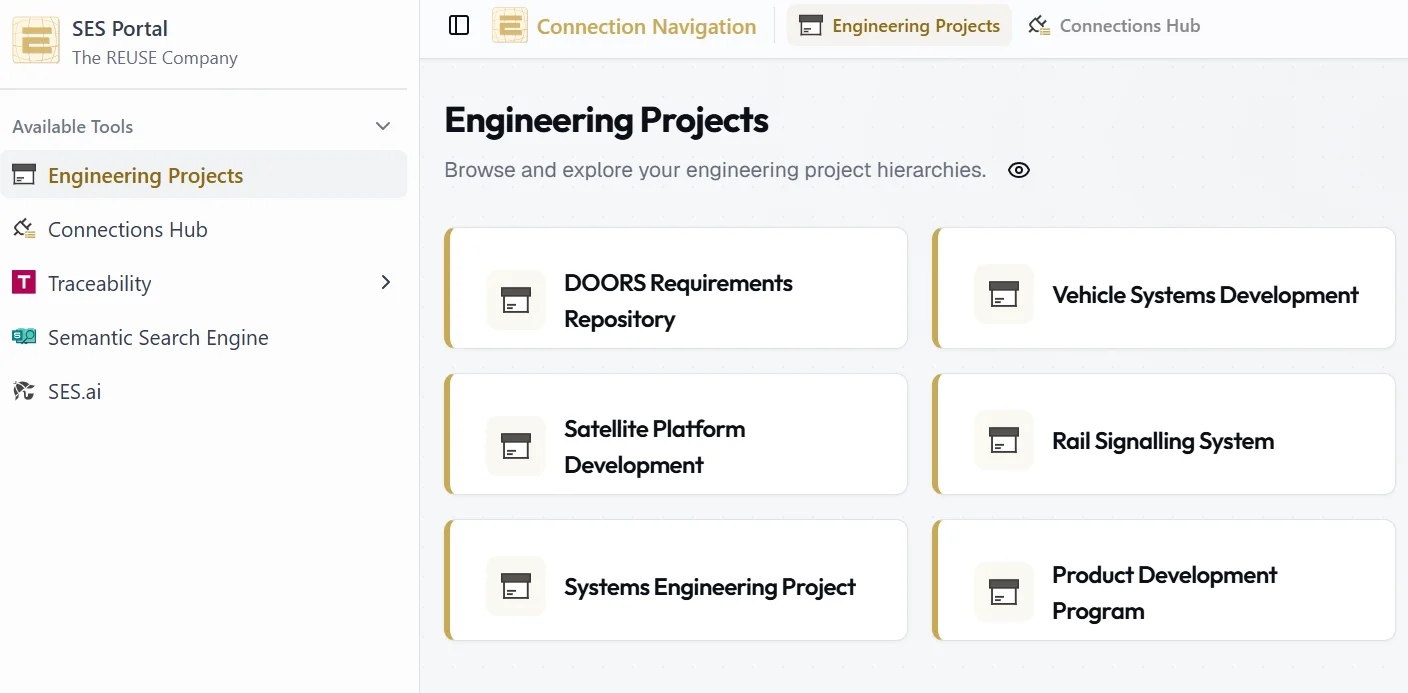
Navigate engineering projects
Browse projects in SES ENGINEERING Studio and open their details from a single web interface.
What you gainA clear view of your projects and faster access to the engineering information you need.
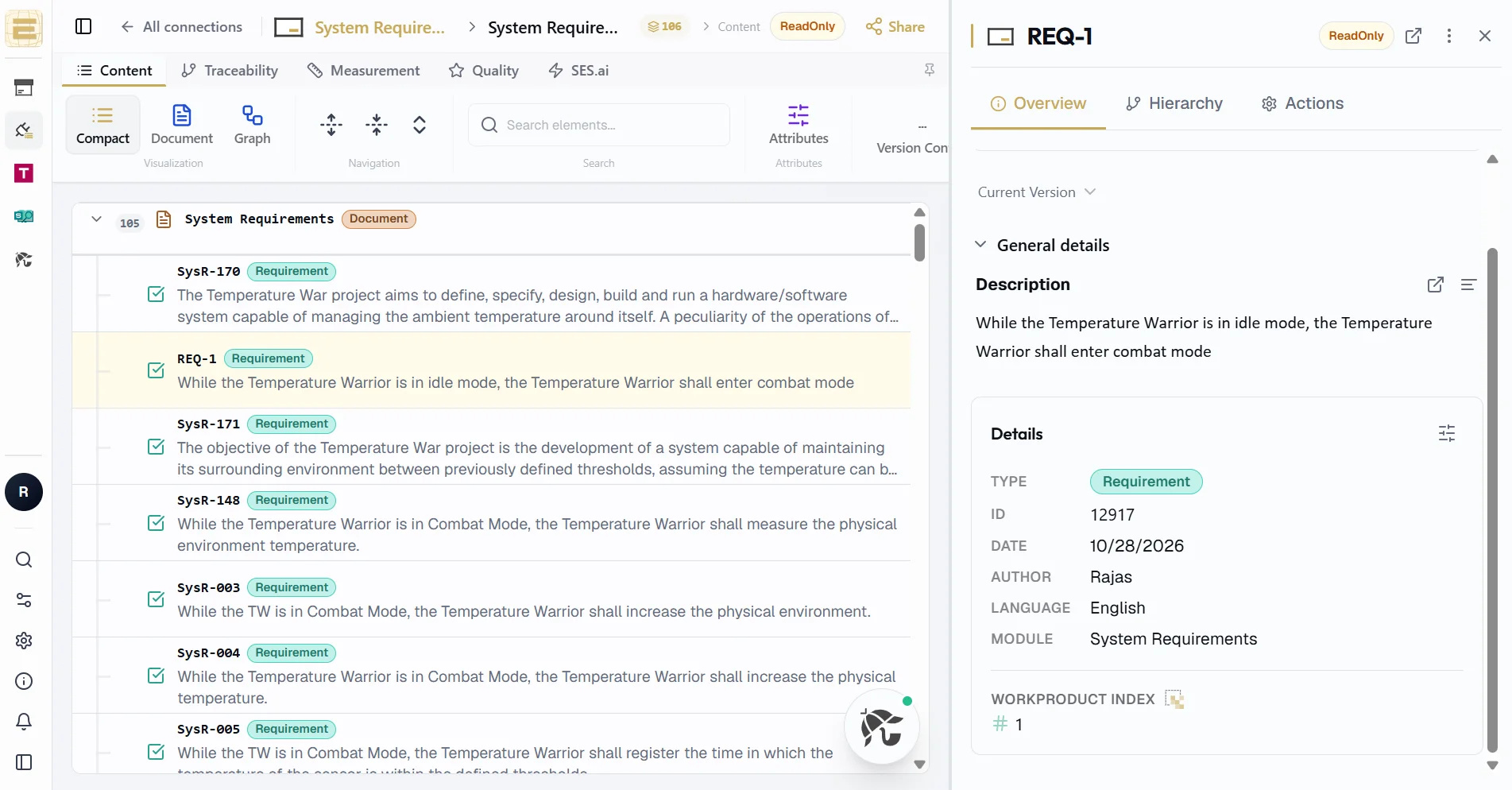
Manage requirements and models
Work with requirements, attributes, versions and quality assessments. Use SES Modeler for SysML v2 workflows.
What you gainManage requirements and models in connected engineering workflows.
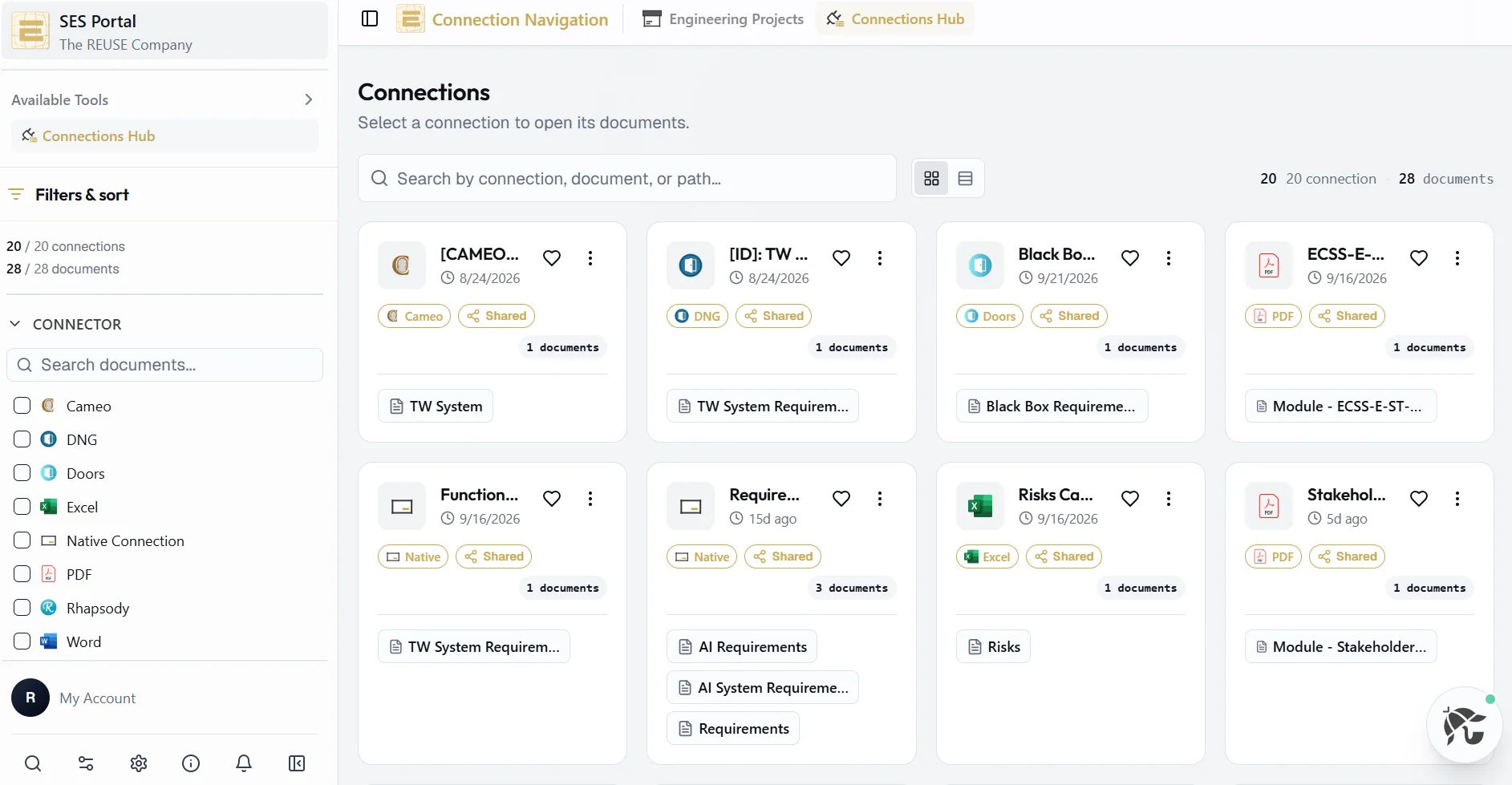
Explore the digital thread
Use Connections Hub to explore links between engineering artifacts and follow their dependencies.
What you gainSee how engineering information connects across sources.
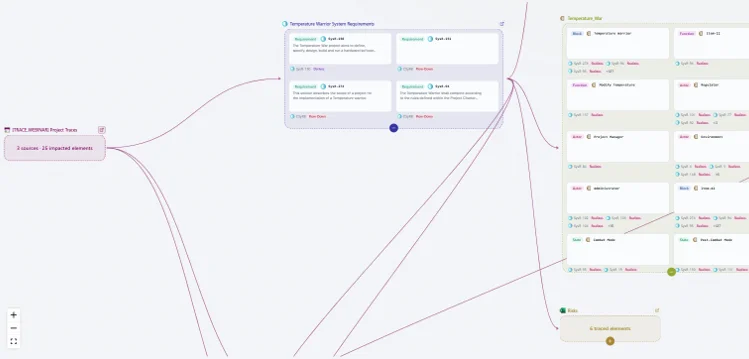
Analyze traceability and change impact
Find artifacts without expected links and investigate the potential impact of a change.
What you gainSpot traceability gaps and identify dependencies to review.
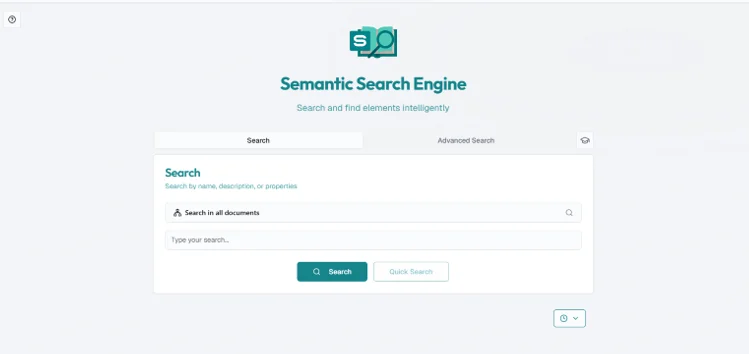
Search by meaning
Find relevant engineering information across documents with Semantic Search.
What you gainDiscover related artifacts and review relevance scores.
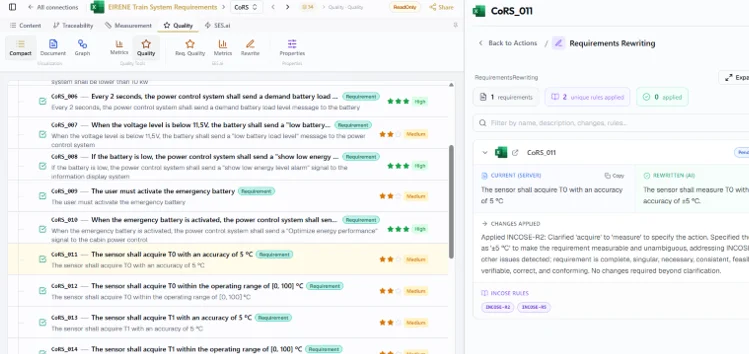
Apply AI to engineering analysis
Use SES.ai to analyze documents, assess requirements and explore suggested links.
What you gainReview potential quality issues and traceability gaps.
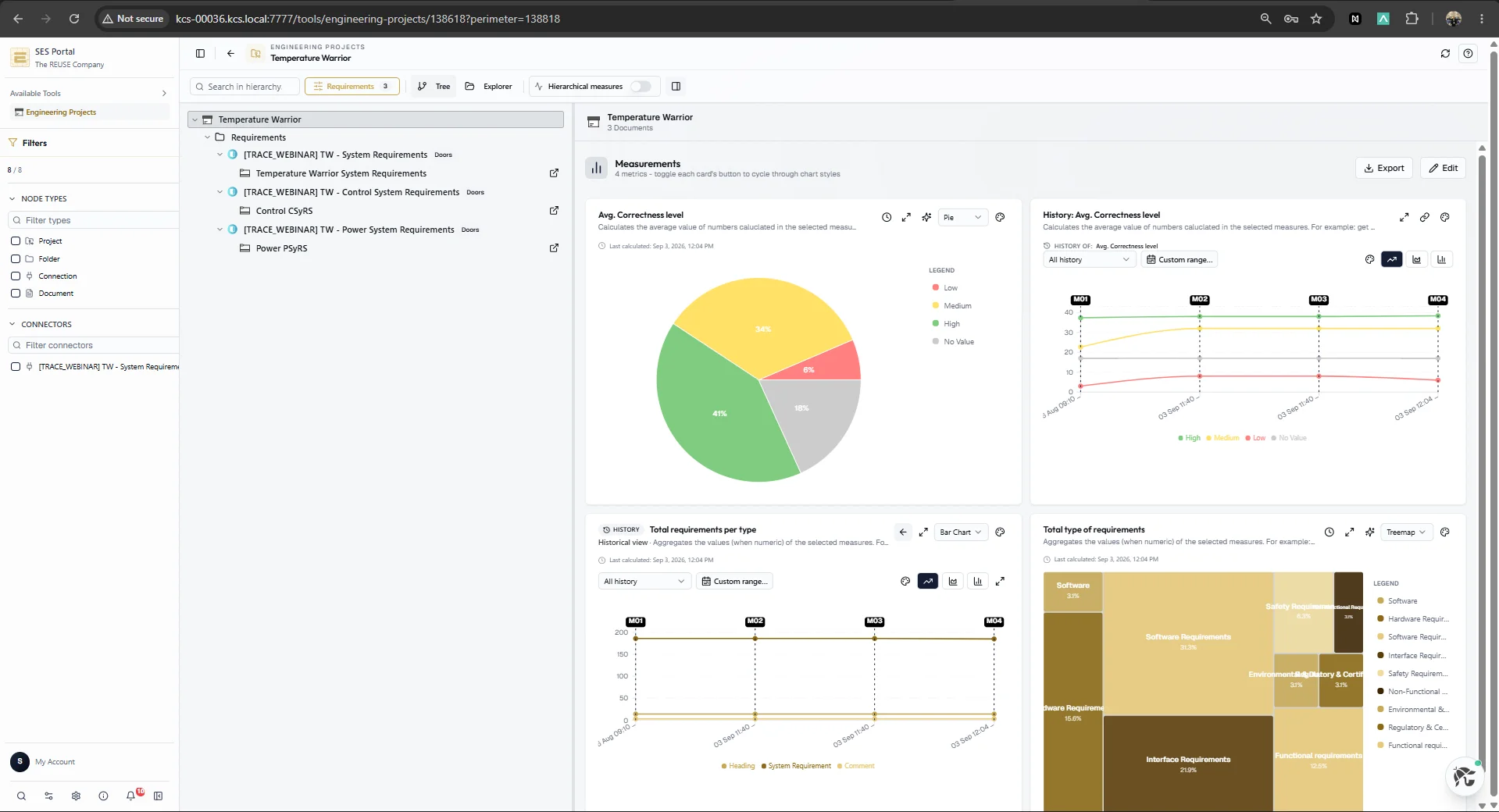
Measure engineering performance
Visualize technical quality, size, complexity, stability, schedule and cost.
What you gainTrack the measures relevant to your engineering project.
From project navigation to engineering analysis
Work with connected engineering information from SES ENGINEERING Studio in one web interface.
- 01
Select a project
Open Engineering Projects and choose the project you want to explore.
- 02
Explore connected information
Use Connections Hub to see how engineering artifacts and other elements relate.
- 03
Investigate relationships
Use traceability, quality analysis, semantic search and impact analysis to investigate the project.
- 04
Apply AI where useful
Ask questions about selected documents, generate reports or assess requirements with SES.ai.
- 05
Use the results
Use the findings to understand the engineering context and guide the next activity.
Built for different engineering roles
01
Engineers
Navigate, analyze, and understand engineering information.
02
Managers
Evaluate project and system performance by applying the measurement capability and the scoreboard.
03
Project and product teams
Gain visibility into projects and engineering content.
04
Administrators
Manage and navigate available engineering information.
PLATFORM CAPABILITIES
SES Portal at a glance
One web platform for navigating and analyzing connected engineering information.
Engineering Project Navigation
Access projects and their details from a centralized web interface.
Requirements and Models ALM
Manage specification engineering and MBSE in one platform.
Connections Hub
Visualize and navigate links between engineering information.
Traceability
Explore relationships, dependencies and impact flows.
Orphans Assessment
Identify elements without expected connections.
Project Impact Analysis
Investigate connected information and potential impact.
Semantic Search
Find relevant engineering information across documents.
Quality Analysis
Access tools for analyzing engineering quality.
Systems Engineering Measurement
Track system and project development performance.
SES.ai
Apply AI to documents for analysis, summaries, traceability and requirements quality.
Bring your engineering information, traceability, quality, and AI together
Explore projects and their relationships, find relevant documents, assess traceability and quality, and analyze engineering content with SES.ai.