
What to expect from this guide: When to use RAT vs RQA, what each tool checks and reports, and how they work together in one workflow.
Whether you are a seasoned Systems Engineer or a newcomer to the REUSE Company’s community, you’ve likely heard us talk about RAT – AUTHORING Tool (or just “RAT”) and RQA – QUALITY Studio (or simply “RQA”). They are two of our most popular solutions to help improve requirements quality, but we often get asked: “Which one do I need?”
The short answer? They are two sides of the same high-quality coin. While one helps you write better from the start, the other one helps you verify that what was written meets your standards. For a professional who values well-formed requirements, understanding this distinction is key to optimizing your systems engineering tool chain.
RAT – AUTHORING Tool: Your “AI Digital Assistant” when writing requirements
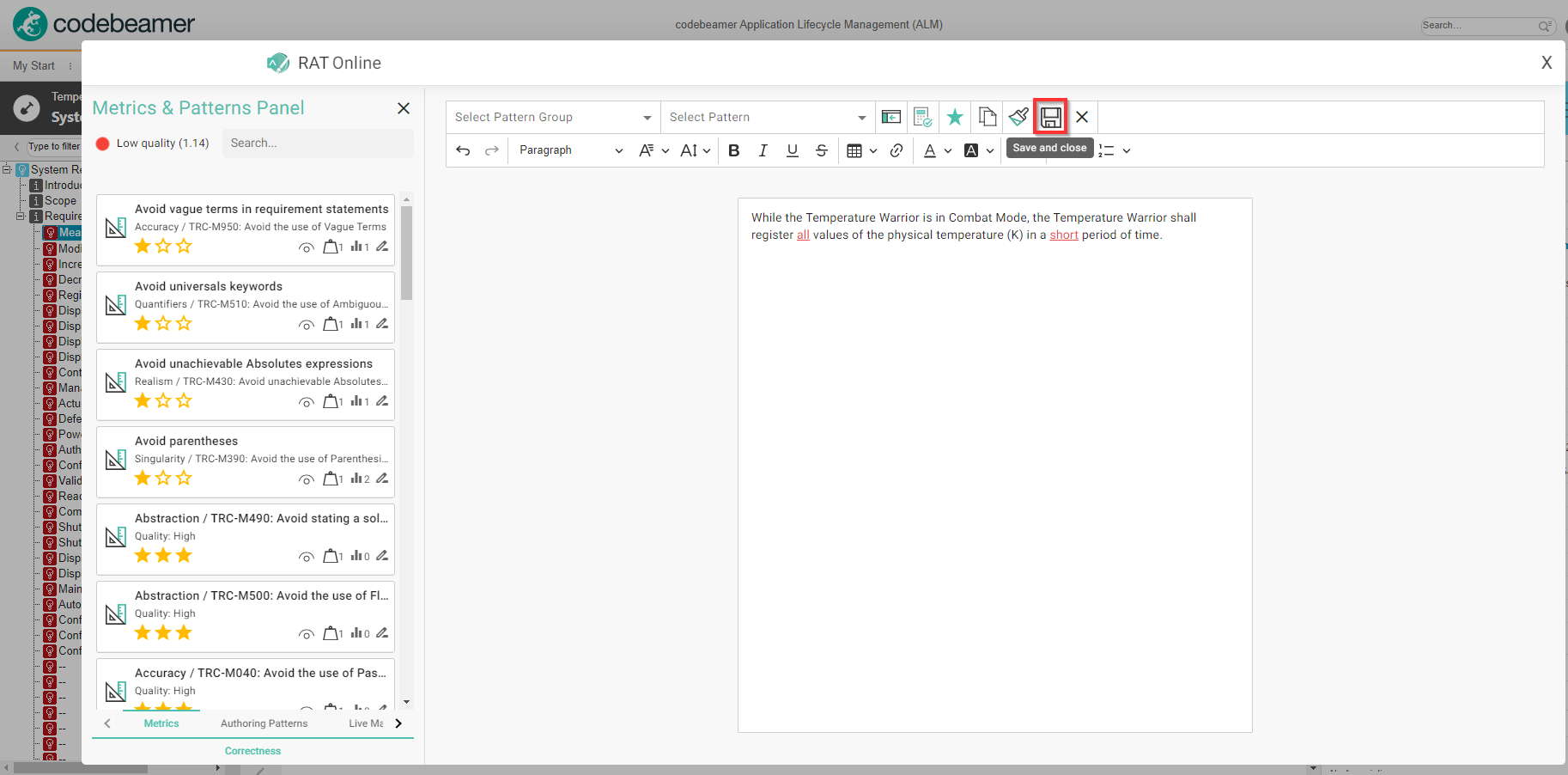
Think of RAT as a smart assistant that sits right where you work—whether that’s in MS Word, Excel, IBM DOORS, your favorite MBSE Tool, or even your web browser to support web-based ALM/PLM platforms like Polarion, Codebeamer, or Teamcenter.
- Real-Time Guidance: It helps you avoid “blank page syndrome” by suggesting patterns and correct vocabulary while you type.
- Get it Right the First Time: By using predefined templates (like EARS or INCOSE guidelines), RAT ensures your requirements are well-formed before you even hit “save.”
- Consistency: It checks in real-time if what you are writing is consistent with other requirements or models in your project.
In short, RAT is for the writer who wants to produce high-quality work without the rework.
RQA – QUALITY Studio: Your “Quality Command Center” for analyzing the quality of your requirements and engineering items
While RAT focuses on the act of writing, RQA is the powerful engine that analyzes and manages the quality of your entire project.
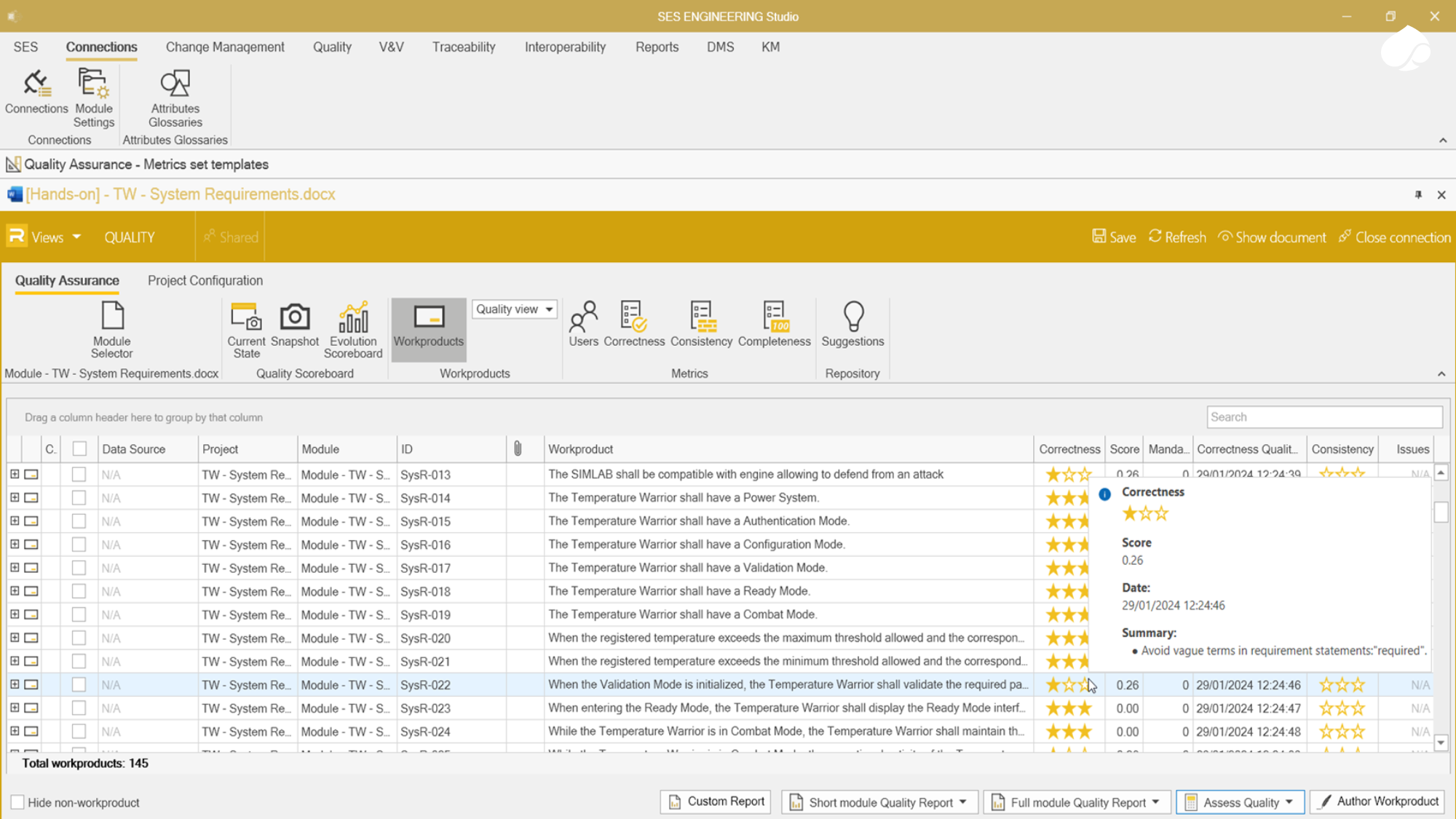
- Universal Analysis: RQA doesn’t just look at requirements; it can analyze logical models (SysML), physical models (Simulink), test cases, and even 3D models.
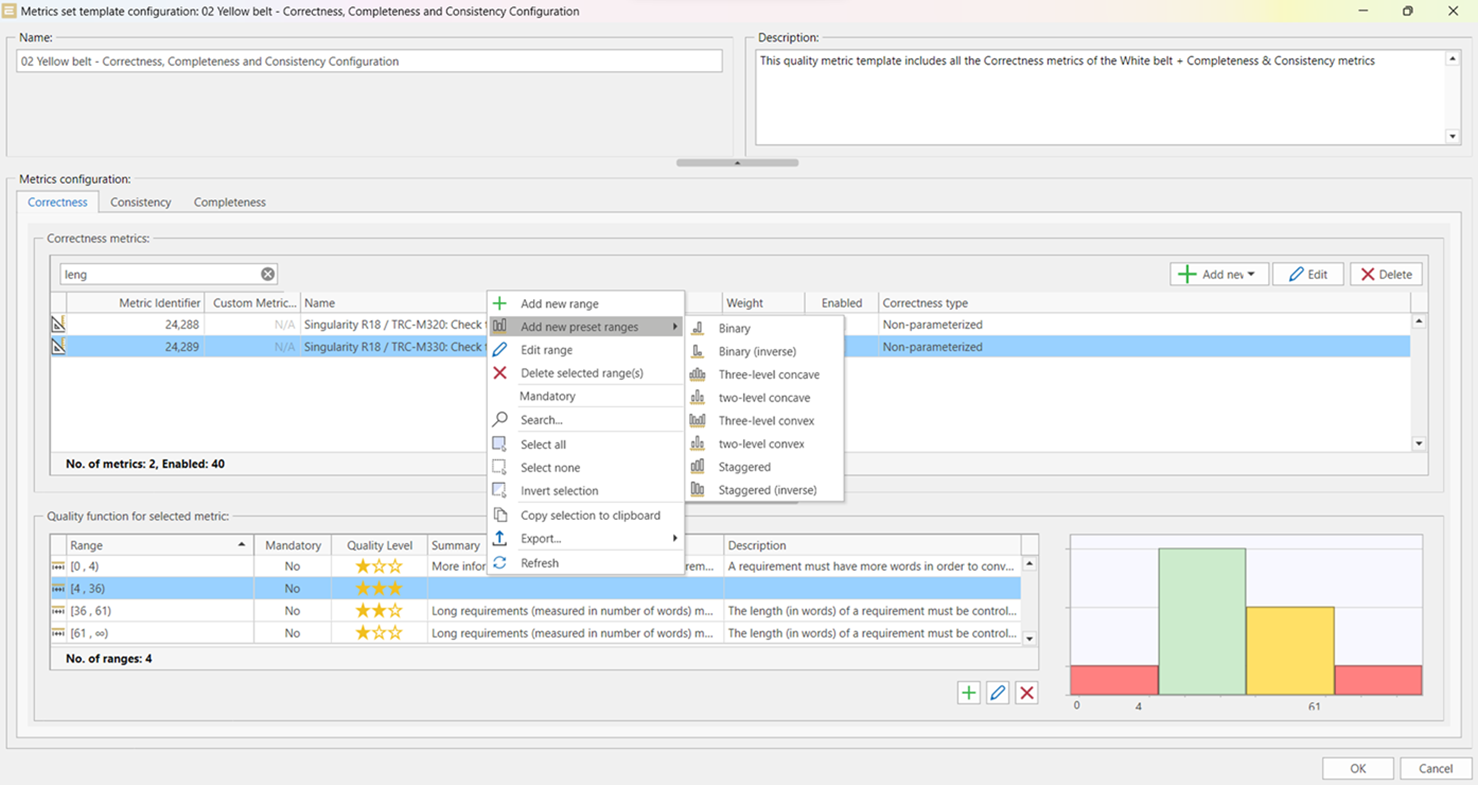
- Custom Metrics: It allows Quality Managers to define exactly what “good” looks like for their organization by setting up custom metrics and scoreboards. Our standard configuration is ready-to-use and complies with the INCOSE Guide to Writing Requirements v4.0
- Global View: It provides a centralized “quality scoreboard” so you can see the health and evolution of your entire system life cycle at a glance.
In short, RQA is for the manager or analyst who needs to ensure everything—from text to models—meets the organization’s rigorous standards.
Comparison between RAT and RQA
| Feature | RAT – AUTHORING Tool | RQA – QUALITY Studio |
| Primary Goal | Assistance: Writing high-quality content from the start. | Analysis: Assessing the quality of existing assets. |
| When to use it | During the creation and drafting phase. | During the verification and review phase. |
| User Experience | Real-time “spellcheck” and syntax + consistency check for engineering rules. | Global dashboards and quality scorecards. |
| Scope | Focuses on the specific document or requirement/engineering item. | Analyzes entire projects. |
| Key Benefit | Reduces rework by preventing errors at the source. | Ensures compliance across the entire toolchain. |
The Best of Both Worlds: RAT and RQA complement each other
While they serve different immediate needs, RAT and RQA are designed to live in the same ecosystem.
Think of it this way: RQA allows the organization to define the “Golden Standard” for quality and manage those rules globally. RAT then takes those exact rules and puts them directly into the engineers’ hands, providing the “how-to” guidance they need to meet those standards without leaving their favorite work environment.
Together, they bridge the gap between management’s expectations and engineering execution, ensuring that your projects remain on time, on budget, and of the highest possible quality.
Assuring high quality of your requirements and models
According to research and industry studies:
- Introduced Errors: Almost 90% of all project defects are introduced during the Requirements Engineering and Design phases.
- Discovered Errors: Historically, only 20% of these defects are discovered during those same early phases.
This creates a massive “Quality Gap” where the majority of errors stay hidden until testing or operations, where they can cost up to 100x more to fix than if they had been caught at the start.
- RAT helps you address the 90% of the errors by preventing them from being written in the first place.
- RQA helps you mitigate the 20% discovery rate by automating the inspection process, catching those hidden errors before they move down the lifecycle.
Want to See Them in Action?
We know that seeing is believing. Whether you’re looking to optimize your development processes or integrate a complex tool chain, we’d love to show you how these tools fit into your specific workflows.
You have several options:
- You prefer to see it live and ask questions on the run? Book a demo with our team today!
- Need to analyze a sample to see how it is rated by the tools? Request a Requirements Analysis Service on this page: https://www.reusecompany.com/personalized-requirements-analysis
Related Links